 techandtab
When you first set up a new Windows 11 PC, you may notice that it comes pre-installed with...
What Does HP Stand For? The History Behind The Computing Brand
HP, formerly Hewlett-Packard (it split into two distinct companies in 2015), has been an ever-present brand in the computing space for well over 40 years, and part of the broader electronics and technology business going back more than twice as long as that. Founded by Stanford University engineering students Bill Hewlett and Dave Packard in a tiny garage, HP surged thanks to an efficiency that allowed the company to keep prices low, securing deals with major companies like Disney, which allowed it to grow substantially. As the middle of the 20th century pressed on, Hewlett-Packard became one of the top tech companies in the U.S. and eventually the world, with personal computers coming into the fold in the 1960s in a primitive sense en route to releasing fully featured PCs in the 1980s.
With innovations like an early touch screen and nods towards portability before laptop or notebook computers were a serious concern, HP was a powerhouse and well-positioned for the explosion in computer adoption in the late 1990s. By 2002, it gobbled up a top competitor in Compaq, forming what would become the top PC manufacturer for market share for several years running. The 2000s and 2010s saw the company take some hits via non-PC flops, but it’s managed to keep its mantle among the top PC manufacturers in the world.
How did HP get off the ground?
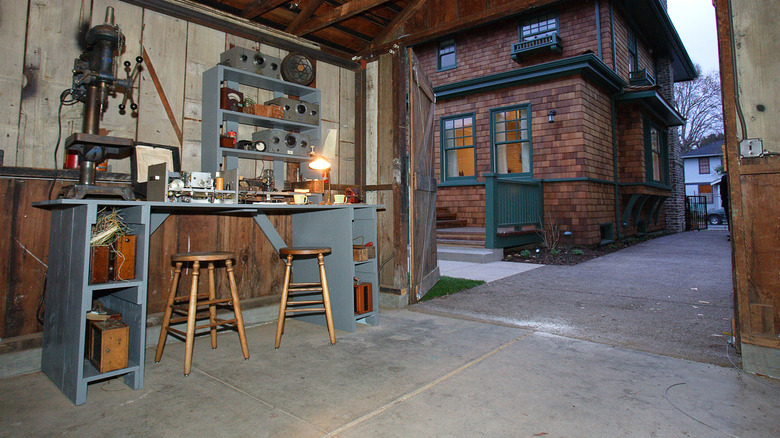
HP’s roots go back to 1934, when Stanford University engineering students Bill Hewlett and Dave Packard became close friends over the course of a two-week camping trip. By 1938, they were working out of a garage, building prototypes of various electronic devices: A harmonica-tuning device, a foul-line sensor for bowling alleys, surgical instruments, and oscillators that could be used to test audio equipment by measuring different frequencies.
The oscillator, which they developed with the help of Stanford Professor Fred Terman, was dubbed the Model 200A, with the idea that the name would suggest that it was part of a product line from a company much bigger than a two-man startup out of a garage. With the oscillator selling for less than competitors did ($54.40 instead of $200 to $600), the follow-up model of the oscillator, the 200B, was Hewlett and Packard’s first real success. Most famously, the Walt Disney Company ordered eight to assist in the setup of the Fantasound surround sound system that was installed in select movie theaters that were to screen “Fantasia.”
This success led to the formalization of the partnership in 1939. “Hewlett-Packard” was picked as the company name over “Packard-Hewlett” thanks to a coin toss, though the company wasn’t formally incorporated until 1947. Hewlett-Packard secured its own office space in Palo Alto, California, in 1940. The signal measurement business proved lucrative enough for the company to go public and buy its first company-owned office building in 1957.
How did HP become a computer company?
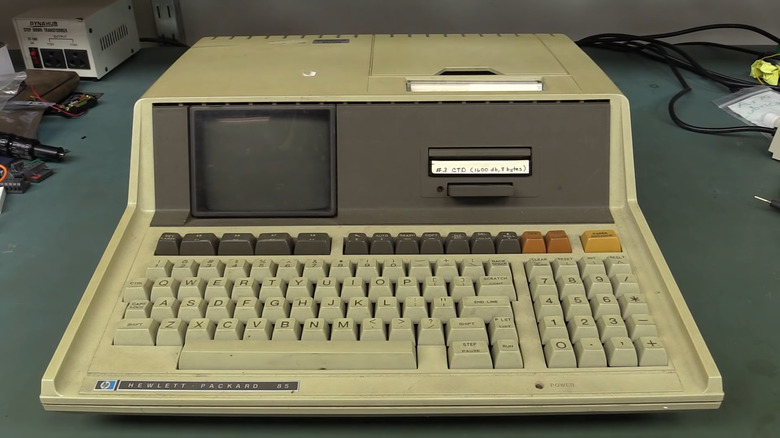
HP started to move into the computing space in 1968 with the HP9100A scientific calculator, with advertisements for the product bringing the term “personal computer” into the lexicon. The company’s first proper personal computer, the HP-85, came out in 1980 and featured a built-in six-inch monitor, a tape drive for storage, and a thermal printer, all originally retailing for $2,750. Inside, the HP-85 was powered by an 8-bit CPU and 16K RAM. Targeting professionals rather than consumers, HP envisioned the HP-85 as a device that commuters would lug from home to the office and back each day, exploiting its relative portability to use it in both spaces, even if it wasn’t a portable device per se.
Hewlett-Packard’s entry into the modern age of PCs came with the launch of the HP-150 in 1983, its first computer to run Microsoft’s MS-DOS operating system and harness an Intel CPU using the x86 architecture (In time, we’d come to refer to x86 computers with Microsoft operating systems as PCs; back then, the term was IBM compatible). The HP-150 boasted a primitive nine-inch touchscreen (to wit, the model was renamed Touchscreen in July 1984), and, despite selling for more than $1,000 above the cost of a comparable IBM-PC, 40,000 units were sold in the first year. The broader move into IBM-compatible PCs proved to be a windfall for HP. In 1984, PC revenues topped $160 million before dipping somewhat to $140 million in 1985.
How has HP navigated the modern era?
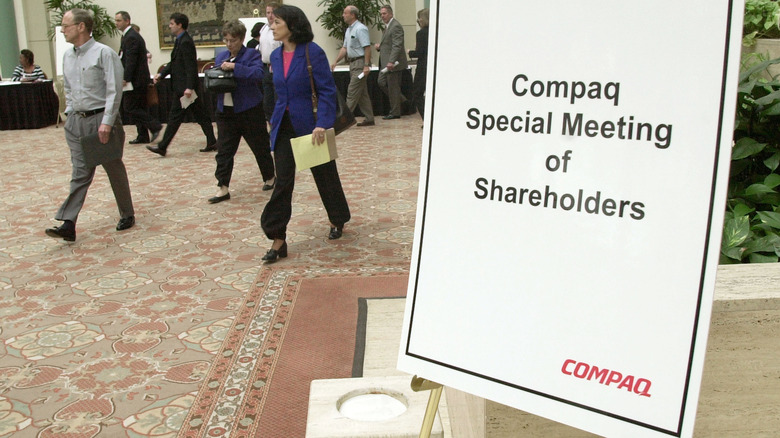
Coming out of the 1980s, Hewlett-Packard was a venerable brand of personal computers and accessories and would maintain that status for decades. Throughout the ’80s, HP worked hard to improve the build quality of its computers, saving $400 million in warranty costs by 1989. As the internet boom hit in the mid-to-late-1990s, HP sales surged, even edging out IBM in the top PC brands for market share by 1999, and by 2000, came in third behind Dell and Compaq. Come March 2002, HP made a major move, buying Compaq in a $25 billion stock swap that made it the second-biggest tech company in the world behind IBM. By 2004, HP and Dell were neck and neck, and in 2007, HP took over the number-one spot.
Outside of its legacy PC line, Hewlett-Packard had some odd flops in the 2000s and 2010s. Most notably, an HP partnership with Apple to sell HP-branded iPods at the portable music player’s popularity peak didn’t sell well despite sometimes undercutting the regular Apple-only SKUs at retail. However, though we’re now in a less PC-centric world, HP still has a tremendous market share, usually around #1 or #2. In 2015, the company split in two, with HP serving consumers and Hewlett-Packard Enterprise handling business computing.
Source: http://www.slashgear.com/1720039/what-does-hp-stand-for/
You may also like

