 techandtab
We may receive a commission on purchases made from links. Game streaming services have allowed people without access...
MWC 2025 Day 1 Roundup: Let’s Get This Party Started!
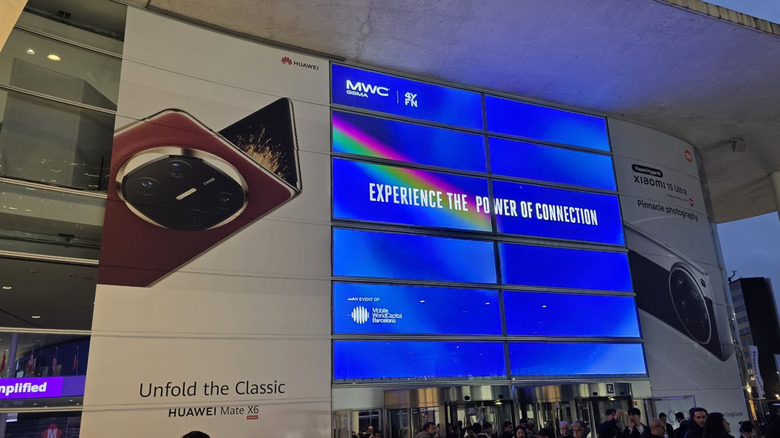
Mobile World Congress is one of the world’s largest mobile electronics shows, and it takes place annually in Barcelona. Brands from around the world converge on the city to show off the latest and greatest of what’s coming. It’s like Christmas in February and in a beautiful city besides.
Of course, it’s not exclusively phones, but there are a lot of them here. SlashGear is on the ground covering the show, seeking out the coolest and most interesting gadgets we can find. The show floor is expansive and covers a lot of territory and verticals. In addition to phones, there are a lot of other mobile devices, like wearables and audio, but there’s also computing, VR, health tech, and even more.
Today is also the first day the show was open to media, and we were all over it. So, from VR to concept computers, to a whole new way of thinking about AI, here’s the coolest stuff we saw on day one of MWC 2025.
Honor is going all in on AI
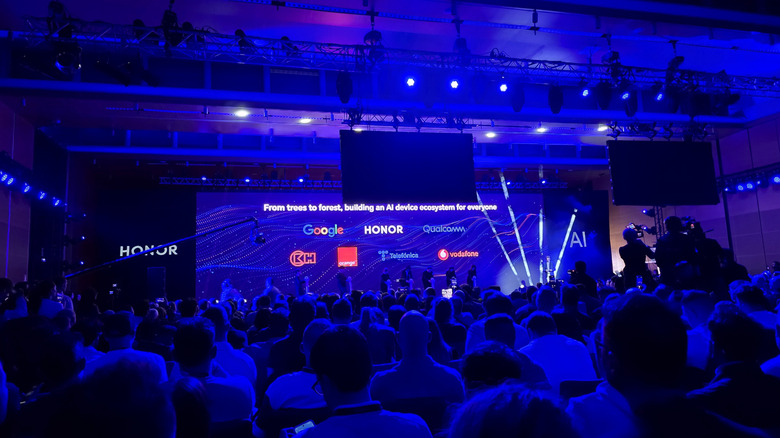
In the interest of disclosure, I should point out that Honor sponsored my travel for MWC so the folks there could tell me all about their AI plans and the devices they launched. I’ve already reviewed the Honor Watch 5 Ultra, Honor Earbuds Open, and Honor V9 Pad. Honor also launched the MagicBook Pro 14 to round out its device offerings.
The centerpiece of Honor’s announcements was Honor’s Alpha plan which seeks to build an AI-powered ecosystem of devices that can all work together seamlessly. Honor is using a tree analogy to illustrate its plan with partners like Qualcomm and Google serving as the roots, Honor as the trunk which connects those companies to consumers via its products, and the leaves represent various services growing into an AI forest. It’s a rough analogy but you get the point.
One other key area that Honor emphasized was DeepFake detection which will actually be built into Honor’s flagship phones — the Honor Magic 7 Pro and the Honor Magic V3. That’s a key safety feature that will be rolling out to the phones in the near future. It’s also significant that both of those phones will also now get seven years of software support, lining up with the likes of Samsung and Google.
Lenovo solar laptop concept
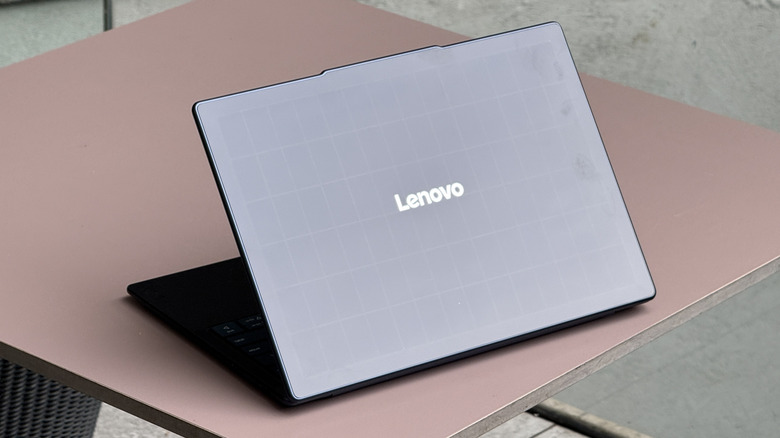
Lenovo is always good for a few concept devices, especially when attending MWC. Last year, Lenovo showed off the rollable laptop as a concept that we saw at CES 2025 as a consumer product. So, concepts won’t always not bear fruit and for that I’m grateful. This year, Lenovo has a trio of concepts to show off that really look interesting. I could see at least one of them coming to market in the not-too-distant future. The first laptop we’ll discuss is the solar laptop.
You guessed it, the entire lid of the laptop is covered in solar panels, and honestly how has it taken this long? The laptop is a pretty standard yoga laptop, aside from the solar panels. These are high-efficiency solar panels with an over 24% solar efficiency rating. As a result, about 20 minutes of direct sunlight can power about 1 hour of video playback. If you can math, you probably have realized that we’re talking about theoretical unlimited power.
Of course, when you’re using a laptop, the back of the lid is usually facing at a downward angle, which will very much reduce the efficiency. Plus, the sun is only up a certain amount of time every day, so it’s not like this laptop never needs to be plugged in. But in theory, if conditions are right, this laptop can get more juice from the sun when you need it, which is still pretty cool. Yay for the environment!
ThinkBook codename Flip AI PC concept
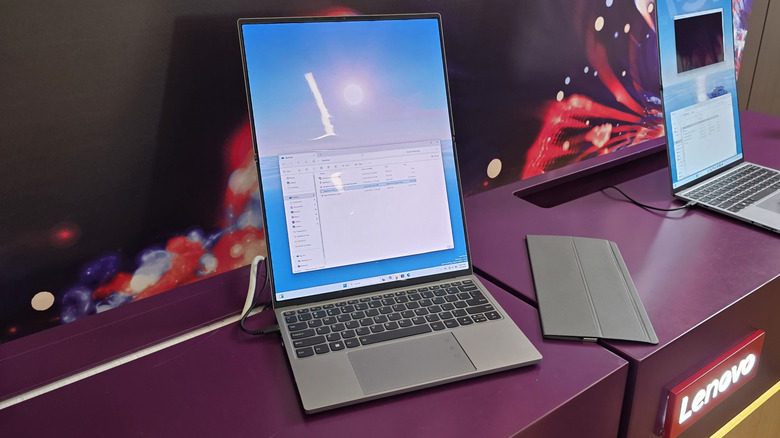
Lenovo also had an unusually foldable concept that I’m very interested in. This is the “codename flip” concept which is a normal laptop, except the display is an outward folding display that flips back on itself when the laptop is closed. When you open the laptop, you can play with that screen in a few different ways. First, you can just flip the rest of the display up and have double the screen space, similar to what you’d get with the Lenovo X1 Fold. It’s an impressive amount of real estate in a compact form factor. You can also flip the screen back into a sort of tent mode and mirror your screen so you can show someone what you’re working on.
The laptop comes with an origami-folding cover, similar to what you might get for a tablet. You can fold that cover up to help prop up the extended screen, and you can use that cover to protect the outside screen when you’re toting the laptop around in a bag, because that large an external folding screen feels vulnerable.
It’s also worth pointing out that the folding screen also felt a tad flimsy compared so some outward-folding phones I’ve played with over the years, but this is obviously a much larger screen, so it’s not surprising. Anyway, this is one I could see turning into a consumer product at some point.
Lenovo Magic Bay screen attachments
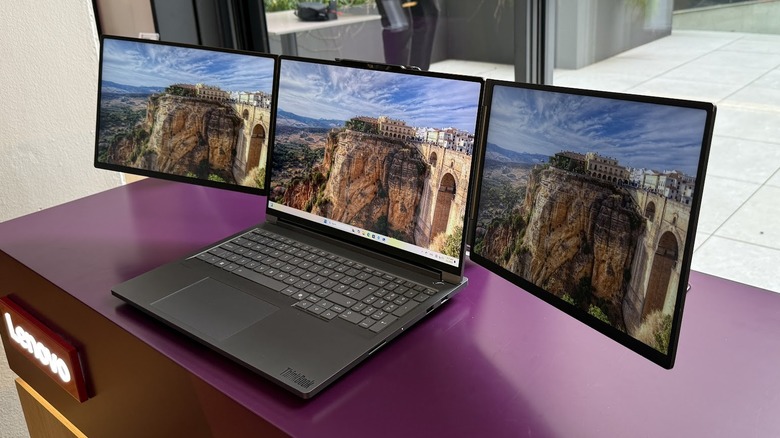
Lenovo has been playing with the Magic Bay modularity concept for a while now, and this year it has some interesting options that you can add to your laptop. The Magic Bay is a magnetic attachment area with pogo pins where you can add something to the top of your screen. In the past this has been things like a 4K webcam, fill light, or LTE modem. Now, Lenovo is playing with screen form factors that could add a lot of screen real estate to your laptop.
The first is an 8-inch panel that attaches to the top of your laptop and hangs off the side. You could load up things like a Slack channel or a ticker or something like that while you complete your primary work. It’s a neat idea, but the part that extends to connect it to the magic bay feels a bit clunky. It’s like a “stick that has to be there” to connect it to the bay. I wish there was a better solution, and for the record, no, I do not have any better ideas.
Lenovo also has a dual monitor attachment that gives you three monitors total. This is similar to a lot of other dual-monitor attachments you can pick up on Amazon, but the major win here is how thin, light, and portable this attachment is compared to consumer models which are heavy and bulky. The downside is both monitor attachments are limited to Lenovo laptops that have the Magic Bay connector, which is the Achilles heel for all modular form factors.
HTC Vive Focus Demos
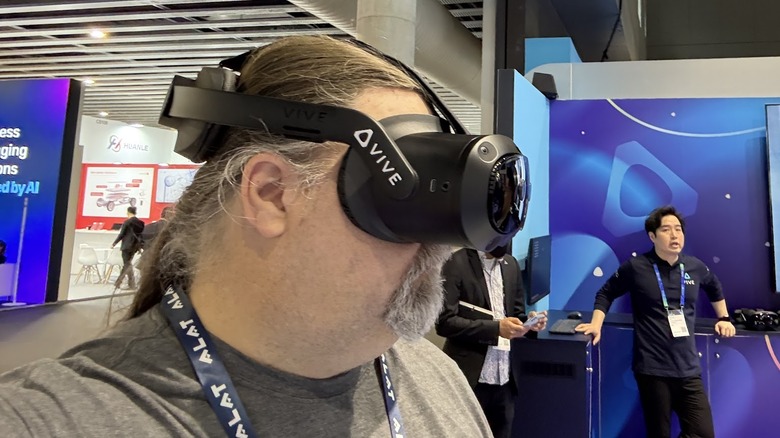
It has been a while since I’ve played with an HTC Vive headset. My experience with them dates back to when you had to mount cameras on your wall for the headset to work. It’s still as comfortable as ever.
HTC is still very much a part of the VR/AR/MR game. The demo I did with the Vive Focus Vision was a neat multi-person walkthrough in the workshop of Antoni Gaudí, the original architect of the Basilica Sagrada Familia. Three people, including myself, were able to walk around the workshop and see how the building was designed. I also did a live AR demo of a supercar being built where the headset could apply physics models to show how the car would react in a wind tunnel. In both scenarios you could move around the area, into and out of the objects being displayed. Have you ever wanted to stick your head into an engine to see how it works? This could be your chance!
Source: http://www.slashgear.com/1803162/mwc-2025-day-1-roundup/
You may also like

