 techandtab
There's never been a better time to switch to Mac from Windows. The Apple Silicon M-series chips (like...
7 Best MSI Laptops For Students Ranked By Price
We may receive a commission on purchases made from links.
As a tech enthusiast who went through a variety of laptops during my stints as an undergraduate and graduate student, I was always on the lookout for a unicorn machine — one that was light enough to fit in my backpack, had enough battery to make it through a stacked day of classes, but also had the power to play games, edit videos, and more. That sort of product didn’t really exist when I was in school, but students today can have the laptop I only dreamt of finding. There are many different laptop manufacturers out there, but for all those features, MSI is one students should consider.
MSI makes laptops with a reputation for high performance at affordable prices. It makes them compelling options for students. If you need a laptop that can power through lectures and late-night paper-writing sessions but can just as easily allow you to kick back with the latest video games, MSI gaming laptops are a great choice. The company makes a wide variety of clamshells, with so many variants that it can be hard to know which is worth buying. So, we’ve taken a look at the best MSI laptops for each price point, then ranked them in order of cost. From budget options that pack serious firepower to premium offerings at eye-watering prices, there’s something for everyone.
In this article, we’ll rank some of the best MSI laptops for students by price. This isn’t a ranking of quality, but a survey of what you can get at different price points. Here’s how the rankings shake out.
MSI GF63 Thin: $629
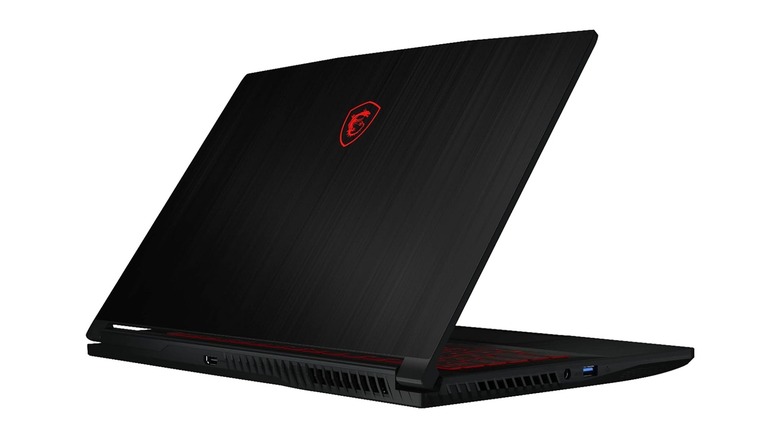
At the time of this writing, the MSI GF63 Thin is the cheapest new gaming laptop the company sells, retailing for just $629 on Amazon. You could buy an older version for cheaper, but don’t. This thing struggles to keep up with modern standards as is. It’s equipped with an Intel Core i5-11400H processor, a last-generation Nvidia GeForce RTX 3050 laptop GPU, 16 GB of last-generation DDR4 RAM, and a 512 GB NVMe SSD for storage. Couple those specs with a 15.6″, FHD display clocked at 144 Hz, and this is very much a budget gaming laptop. As for I/O, you’re looking at a USB-C port, three USB-A ports, ethernet, HDMI, and headphone/microphone ports.
The GF63 Thin is reasonably priced when compared to similarly-featured laptops from competing brands like ASUS. Moreover, the GF63 has garnered decent reviews, with testers impressed by its bang for buck. However, reviewers warn that you shouldn’t expect to play any visually demanding games — at least not on anything more than the lowest settings. When it comes to schoolwork, it will more than get the job done. However, as with many MSI laptops, the GF63 is a bit chunky. At 0.86 inches thick, it edges out a MacBook Pro and dwarfs many slim, non-gaming laptops.
Some Amazon reviewers have noted blue screen errors and poor hinge quality, but overall reviews are good. Students in particular, however, complain about battery life. Overall, this is a decent laptop for students who want a basic gaming machine that can handle most tasks.
MSI Thin 15: $900
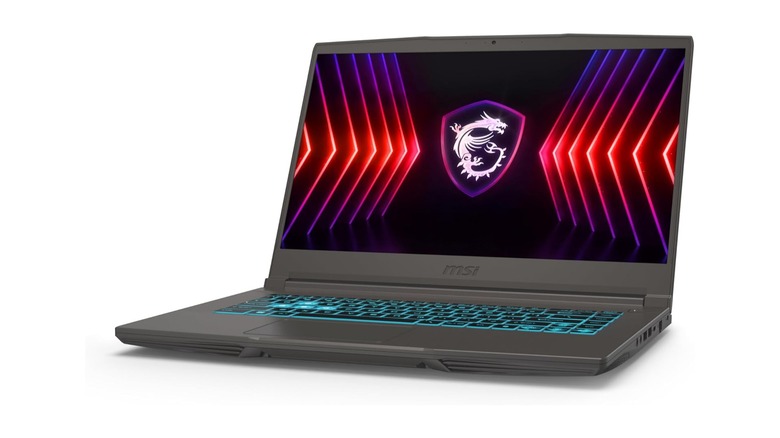
Moving on up but still sticking below the $1,000 mark, the MSI Thin 15 is Amazon’s “overall pick” for MSI gaming laptops. This is a solid mid-range gaming machine at an equally solid price point. It costs about $900 from Amazon at the time of this writing, and for that money you get an Intel Core i7-13620H processor, an Nvidia GeForce RTX 4050 laptop GPU, 16 GB of last-generation DDR4 RAM, and a 512 GB NVMe SSD for storage. Those specs power a 15.6″, FHD, 144 Hz IPS panel. I/O includes three USB-A Gen 3 ports, one USB-C port with Power Delivery, Ethernet, headphone and microphone ports, and a charging port.
This machine is priced pretty competitively for its specs, especially since you’re getting a current generation Nvidia GPU. While that RTX 4050 isn’t going to let you play “Cyberpunk 2077” with maxed out ray tracing, it will more than handle most titles with low to medium settings. Assuming you don’t mind the heft of a gaming laptop in your backpack, this fits in medium-sized bags. However, make sure you bring it to class fully charged or sit near an outlet, as its specs will easily run down the battery if you use the Thin 15 for an entire class.
Reviews for the Thin 15 highlight its value proposition, performance, and speed. Some are disappointed by the half-terabyte storage, as that’s not much for a modern laptop, especially a gaming one. However, students who reviewed it were happy with it as a school laptop that can also play games on the go.
MSI Modern 15: $917
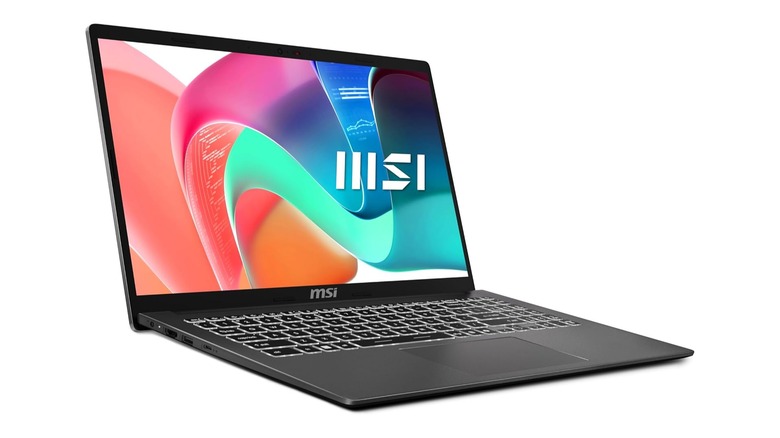
While MSI is traditionally associated with gaming-focused products, it also makes a range of more business and creator focused laptops, with the Modern line being more directly targeted at students and everyday users. The MSI Modern 15 is a compelling offering in this range. Since it doesn’t have a discrete GPU, it can’t handle most games, but it also isn’t as thick as some other laptops on this list, making it easier to fit in a backpack.
This variant of the Modern 15 comes with an Intel Core Ultra 7 CPU with integrated graphics, 16GB of last-generation DDR4 RAM, and a healthy 1 TB of SSD storage. Those are decidedly productivity-focused specs, as the Intel Ultra 7 processor is geared toward performance and AI workloads. When it comes to I/O, you’ll get a single USB Type-C 3.2 Gen 2 port with DisplayPort and Power Delivery, three USB Type-A 3.2 Gen 1 ports, an RJ45 jack, a Micro SD card reader, and an HDMI port. That should be enough flexibility for most students, though a couple of dongles might be worth keeping on hand.
CNBC TV 18, which reviewed the more expensive Core i9 variant of this laptop, gave it a solid review, calling it a dependable laptop that won’t break the bank. Unfortunately, there are no Amazon reviews for this particular version of the MSI Modern 15.
MSI Prestige 14 Evo: $1,050
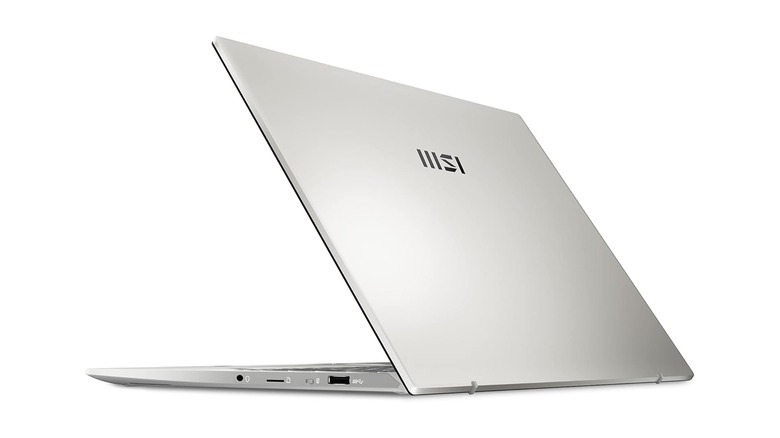
Sitting right above the thousand dollar mark at the time of this writing is the MSI Prestige 14 Evo, a student and business-focused laptop. This Windows 11 laptop is a thin and light device with a sleek, silver design that slips easily into a bag. It’s not a gaming laptop, but it is a solid productivity clamshell that can tackle schoolwork, Netflix bingeing between study sessions, and more.
This configuration of the Prestige 14 Evo runs on an Intel Core i7-13700H processor and a hearty 32 GB of speedy DDR5 RAM. That means it should easily handle heavy workloads in or out of class, even with lots of apps running. Those internals drive a 14-inch, 1080p display. As for I/O selection, you’ll get a single USB Type-A 3.2 Gen2 port, two Thunderbolt 4 USB-C ports at USB 4 with Power Delivery and DisplayPort, an HDMI 2.0 port, a Micro SD card reader, and a 3.5mm headphone jack. Those are remarkably future-proof ports that won’t be outdated soon, meaning this might be the laptop you’re looking for if you want it to last your entire college career. There’s also a webcam kill switch, which is great for privacy oriented users.
Professional reviewers have found the Prestige 14 Evo to be a solid school laptop, with RTINGS giving it a 7.3 out of 10 for that purpose. Tech Advisor, meanwhile, gave it four out of five stars, with particular praise given to the laptop’s keyboard, port selection, and battery life.
MSI Stealth A16 AI : $2,000
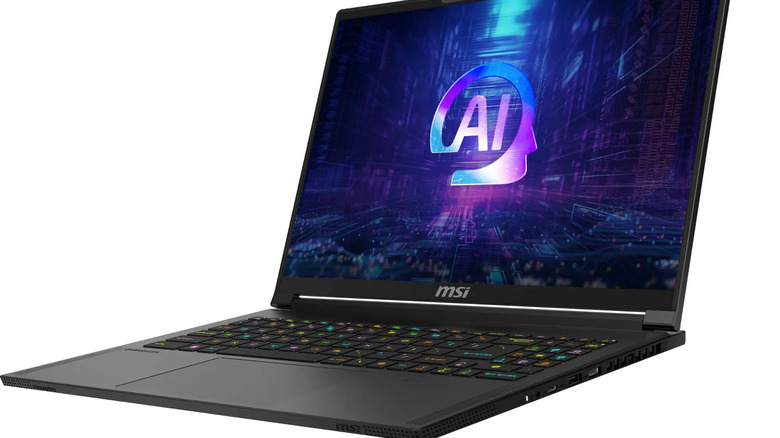
Clocking in at the $2,000 mark is the MSI Stealth A16 AI+. Kitted out with one of AMD’s latest laptop processors, the Ryzen AI 9 365, an Nvidia GeForce RTX 4070 mobile GPU, and 32 GB of blazing fast LPDDR5x-7500 memory, this 16″ laptop is packing a ton of performance into a thin and light chassis. For students who need to run AI workloads, this is probably the MSI laptop to consider. It’s part of the Microsoft Copilot Plus PC lineup, with an integrated NPU (neural processing unit) that can handle 50 TOPs of AI that can handle most normal AI tasks.
Some reviews were bummed by the IPS display, claiming it’s a bit dull. While an OLED panel would certainly be preferable, this 2560 x 1600 panel, which can run up to 240 HZ, is high-resolution and high-speed enough to carry you through academic work, entertainment, and gaming without issue. Port selection is another high point for the Stealth AI 16 AI+. It comes with a Thunderbolt 4-equipped USB-C port with USB 4, DisplayPort, and USB Power Delivery, as well as two USB-A 3.2 Gen 2 ports, Ethernet, and HDMI 2.1. While other laptops on this list have more ports, the Stealth is doing quite well for a thin gaming laptop. It has decent battery life for a gaming laptop, with reviewers managing 10 hour, but you shouldn’t get a gaming laptop if battery is your priority.
Reviews have been solid for this laptop, with PCWorld awarding it four out of five stars for build quality, CPU and GPU performance, and a long battery life. However, the reviewer wasn’t thrilled with the display. Suboptimal displays are a common theme in reviews of MSI laptops.
MSI Vector 17 HX A14VGG: $2,200
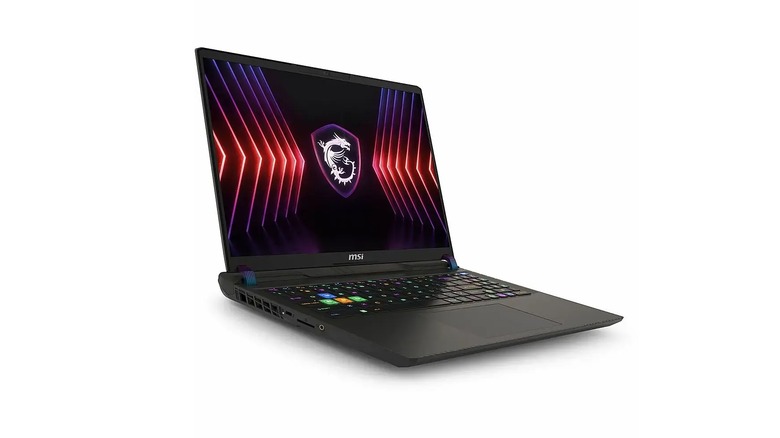
Moving on up, the MSI Vector 17 HX, specifically the A14VGG variant, has received plenty of praise for its performance. Driven by an Intel Core i9 14900K built on Intel’s robust Raptor Lake Refresh architecture, along with an Nvidia GeForce RTX 4070 and a whopping 32GB of DDR5-5600 memory, it’s clear this laptop isn’t messing around when it comes to a great gaming experience. But what makes it especially attractive for students are its 2560 x 1600 resolution, 240 Hz, 17″, IPS display panel and robust I/O selection.
It’s crucial for a student laptop to have a solid screen, and that’s only becoming more true as time goes on. Writing papers in Google Docs or Microsoft Word, logging into online portals for homework assignments, and even remote Zoom classes —ever more of an academic life is performed over the internet, and a good screen will not only make the experience more enjoyable, but can reduce eye strain. As for I/O, the 17 HX sports three USB-C 3.2 ports (two with Power Delivery), three USB Type-A 3.2 ports, HDMI and ethernet connectors, an SD card slot, and a headphone jack. That’s more than enough to meet the needs of most students, whether you’re connecting to a classroom projector or moving files for a group project.
At about $2,200 at the time of this writing (though it can run higher), the HX 17 is certainly not a budget laptop. However, it could come down with a student discount. Whether this is the machine for you likely depends on whether your field of study requires a powerful GPU, or how many AAA games you intend on playing in your free time.
MSI Vector GP78HX: $3,550
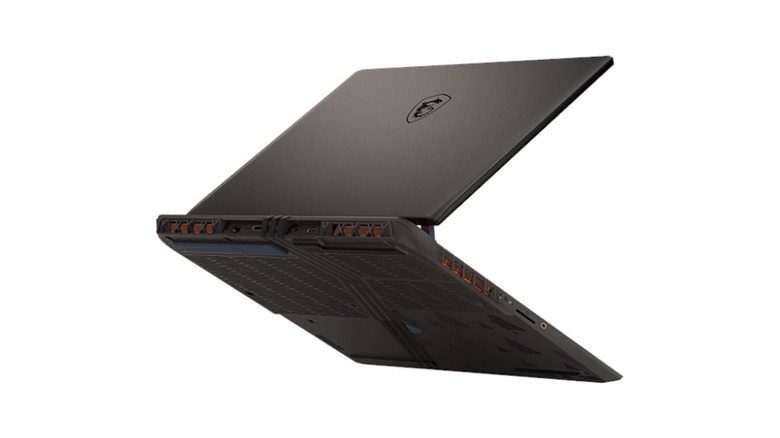
If you’ve been looking at this list of MSI laptops and wanting something more impressive, then it’s time to talk about the MSI Vector GP78HX, which I’ve nicknamed “the wallet shredder.” This beast of a laptop is actually the bigger brother of the Vector 17 HX we discussed previously. It costs an eye-watering $3,550 at the time of this writing. In exchange for draining your savings, you’ll get an Intel Core i9-13980HX, Nvidia GeForce RTX 4090 laptop version with 16 GB of GDDR6 VRAM, a huge 2 TB of NVMe SSD storage, and a gargantuan 64 GB of DDR5-5200 RAM. Those top-tier specs power a 17.3″, QHD, IPS panel with a 240 Hz refresh rate.
As you might imagine, this is an absolute brick of a machine. You’ll need a massive backpack if you want to lug it to class, and it’s going to take up your entire desk. Given that you could buy two laptops with this kind of money, or even build a full-size gaming rig, it might make more sense to buy something cheap and light for school —a Chromebook, for instance —and spend the rest of your money on a custom or prebuilt gaming PC. However, if you’re studying in a STEM field that requires highly specialized and powerful software, especially at a graduate level, this could be the laptop for you. MSI explicitly markets it for that purpose.
The Vector 17 HX 2024 at this topline configuration garnered an editor’s choice award from Laptop Media, which called it “almost a perfect gaming machine” and praised its metal design, high refresh rate display, and excellent performance. The reviewer’s only complaints were the price (obviously), loud fans when in Extreme Performance mode (expected), and a bit of trouble opening the chassis.
How these MSI laptops were selected
Each laptop listed in this roundup was considered based on its value proposition relative to the listed specifications, as well as a combination of reviews from trusted outlets and users. The data was cross-referenced against my own experience, both with expansive knowledge of Windows laptops and as a former student.
Source: http://www.slashgear.com/1750584/best-msi-laptops-students-by-price/
You may also like

